
Linking Tows
Vehicles that belong together, such as a tractor and trailer, should be linked together. This allows dispatchers to easily see what goes with what, and view the total fee for all units.
To Link Tows
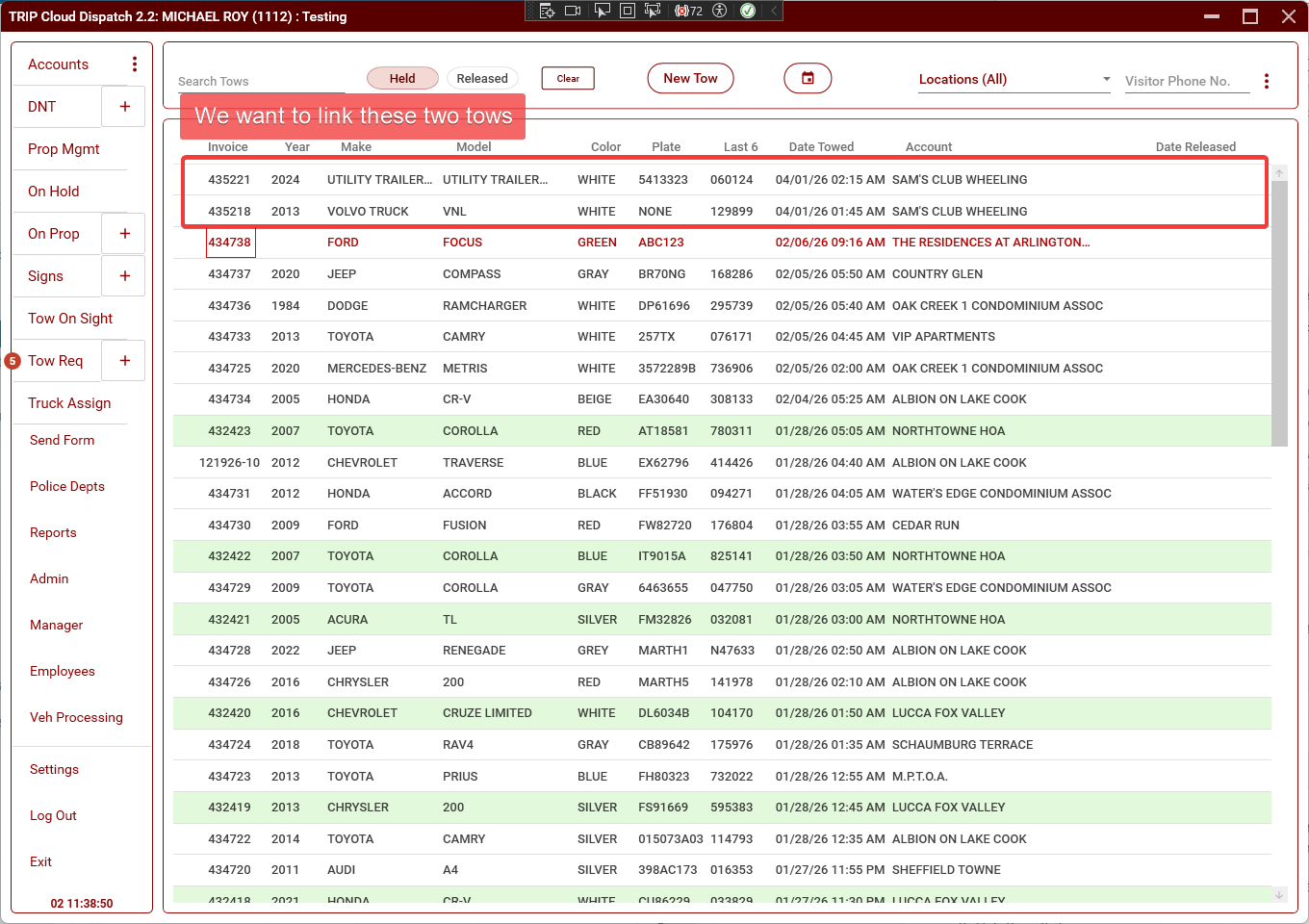
- Hold down the left ctrl key and click on the tows that you want to link together.
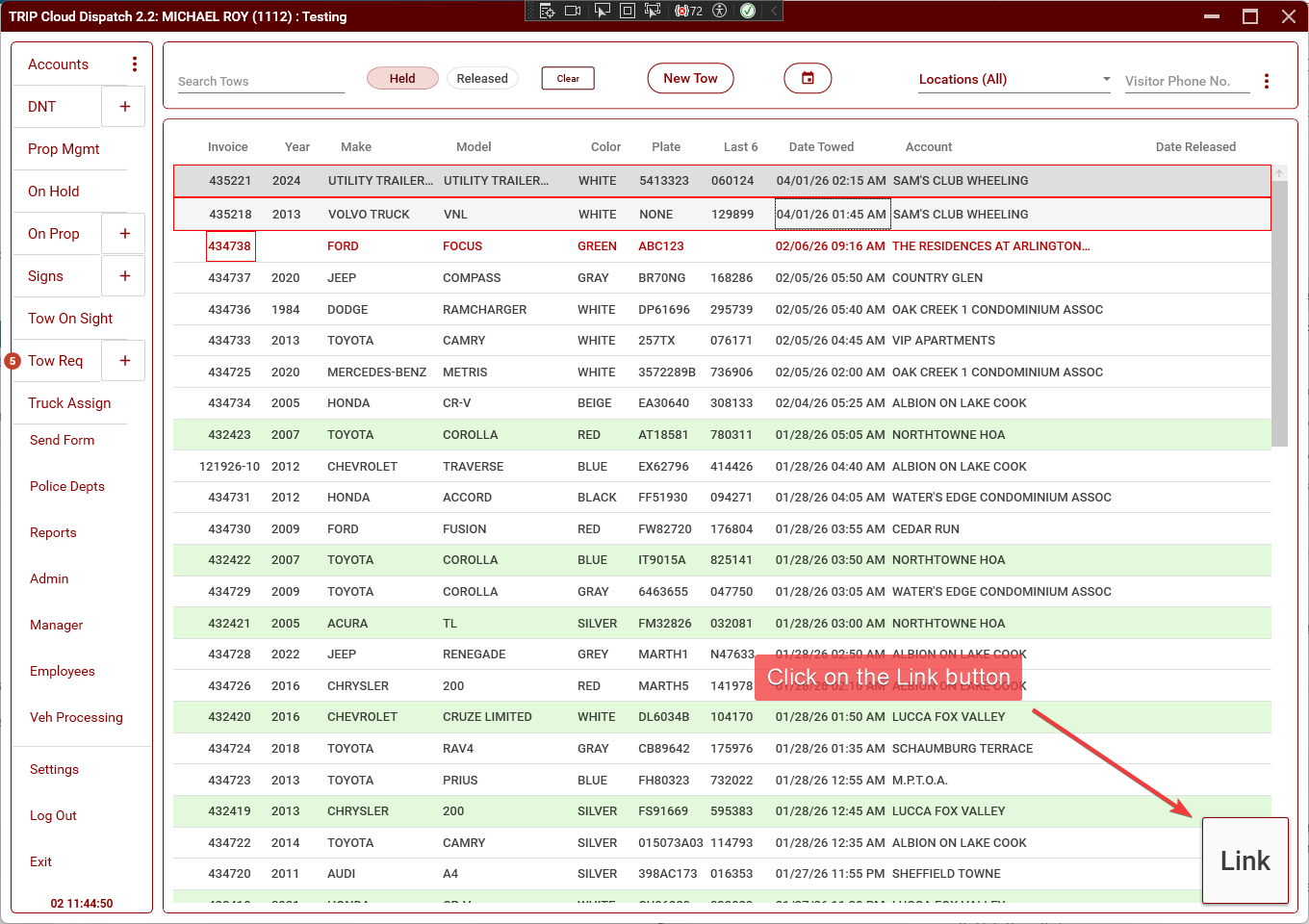
Once you have selected at least two tows, the Link button will appear in the bottom-right of the screen.
2. Click on the Link button. The tows will now be linked together.
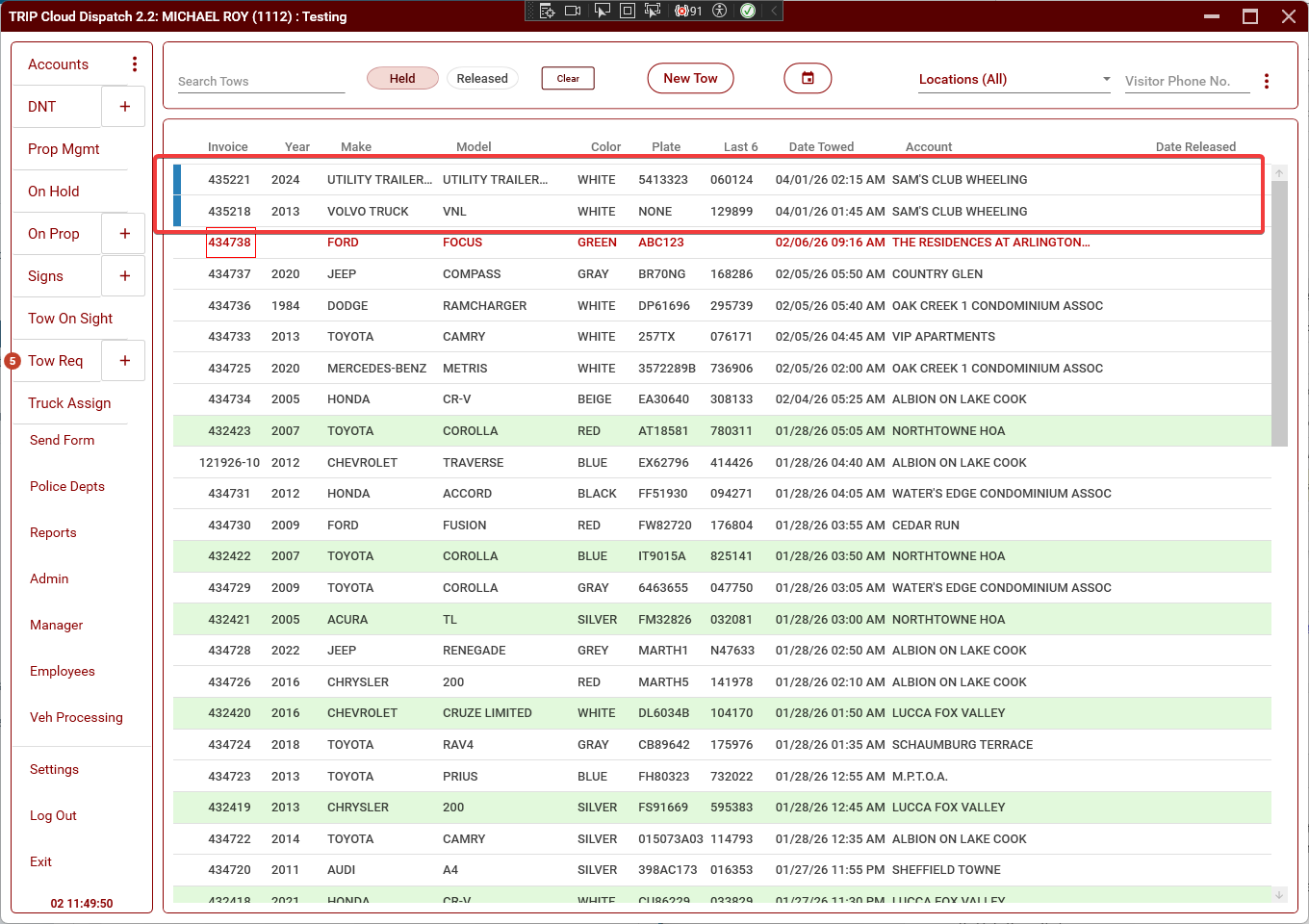
Notice the colored stripe on the left of the linked tows. Each set of linked tows will have a different color, so it's easy to see which tows are grouped together.
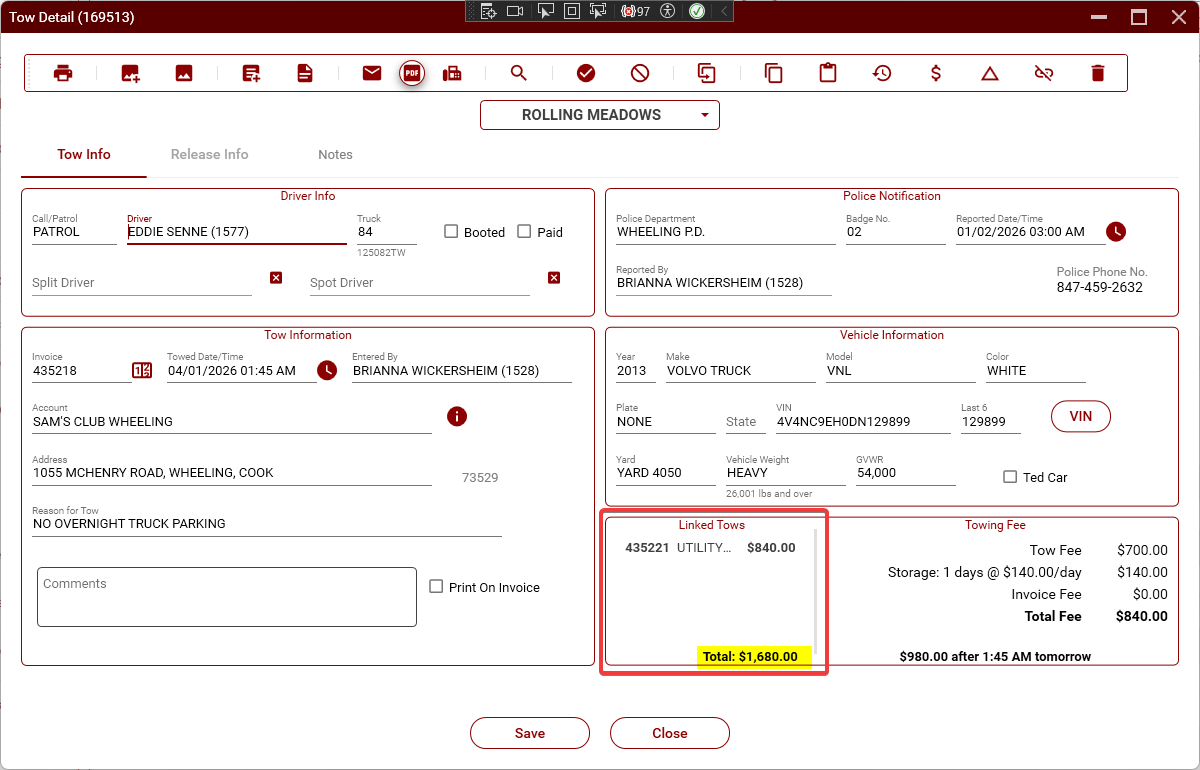
When you open a linked tow, it will now show a list of the other tows that are linked to it as well as the total fee for all the units.
To Unlink Tows
1. Open one of the linked tows that you want to unlink (it doesn't matter which one).
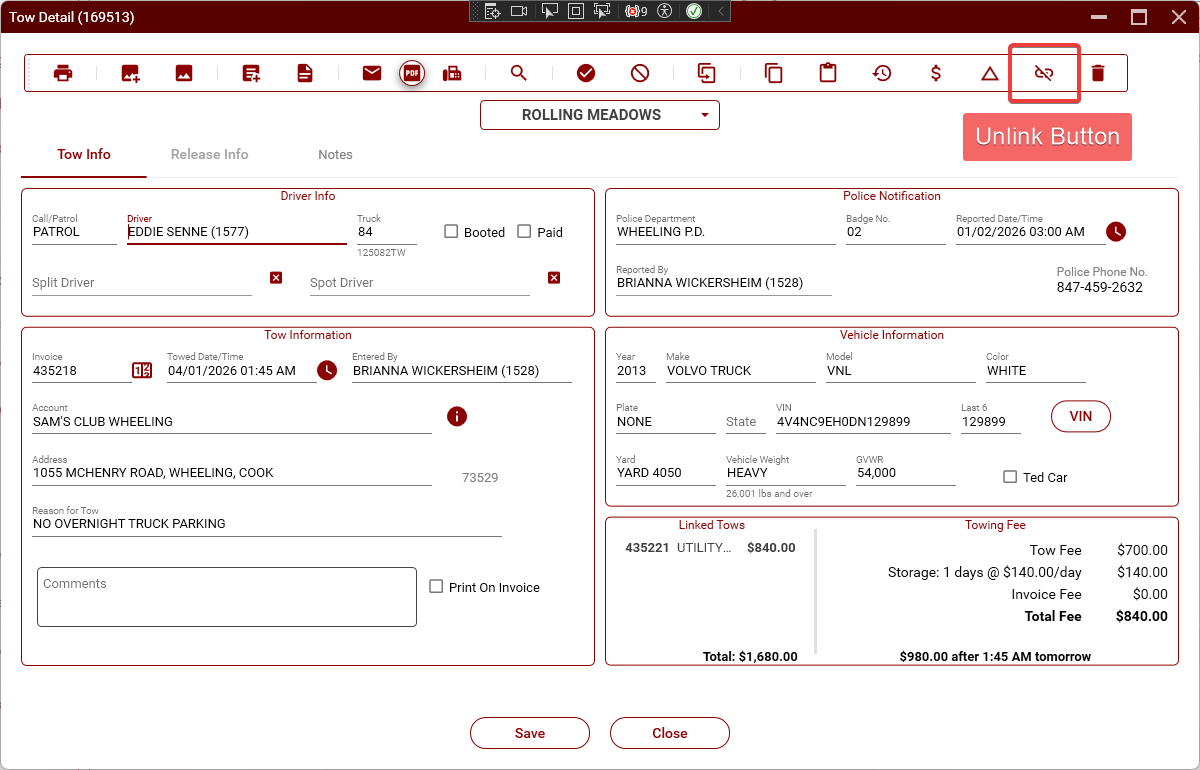
2. Click on the Unlink Button, then "Yes" in the confirmation dialog. The tows will now be unlinked.
No comments to display
No comments to display