Skip to main content
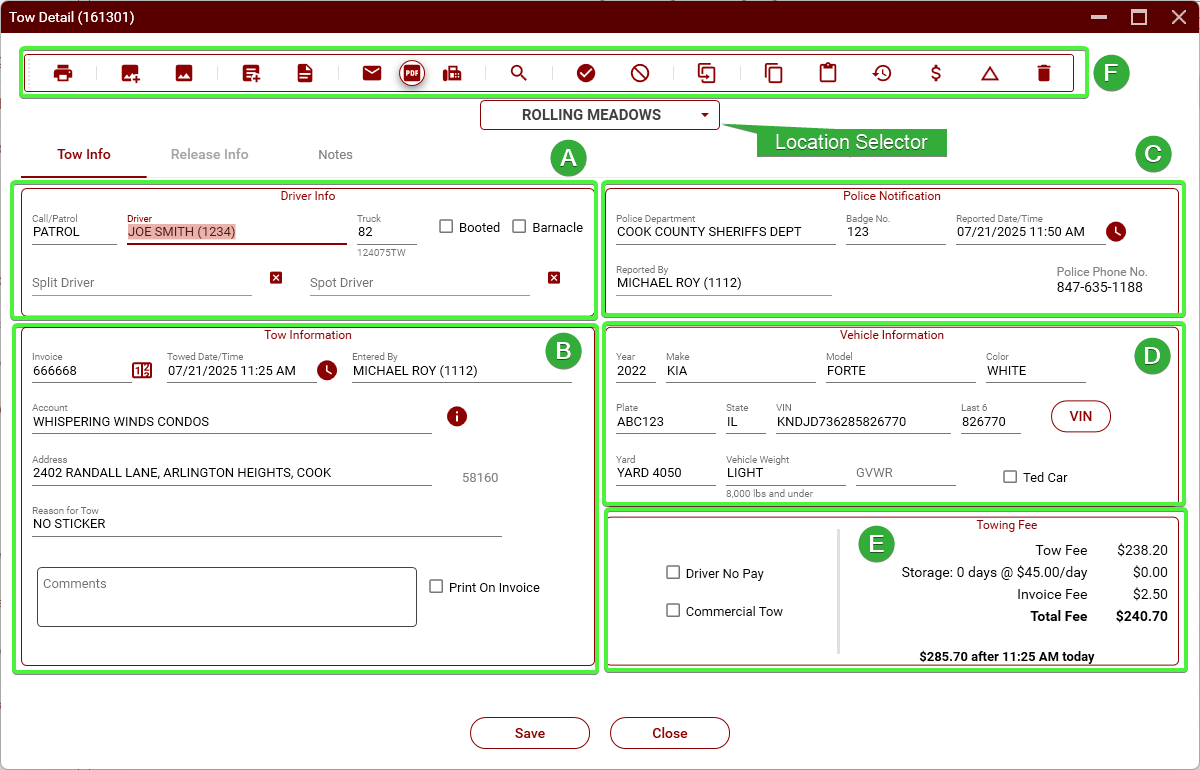
Tow Detail
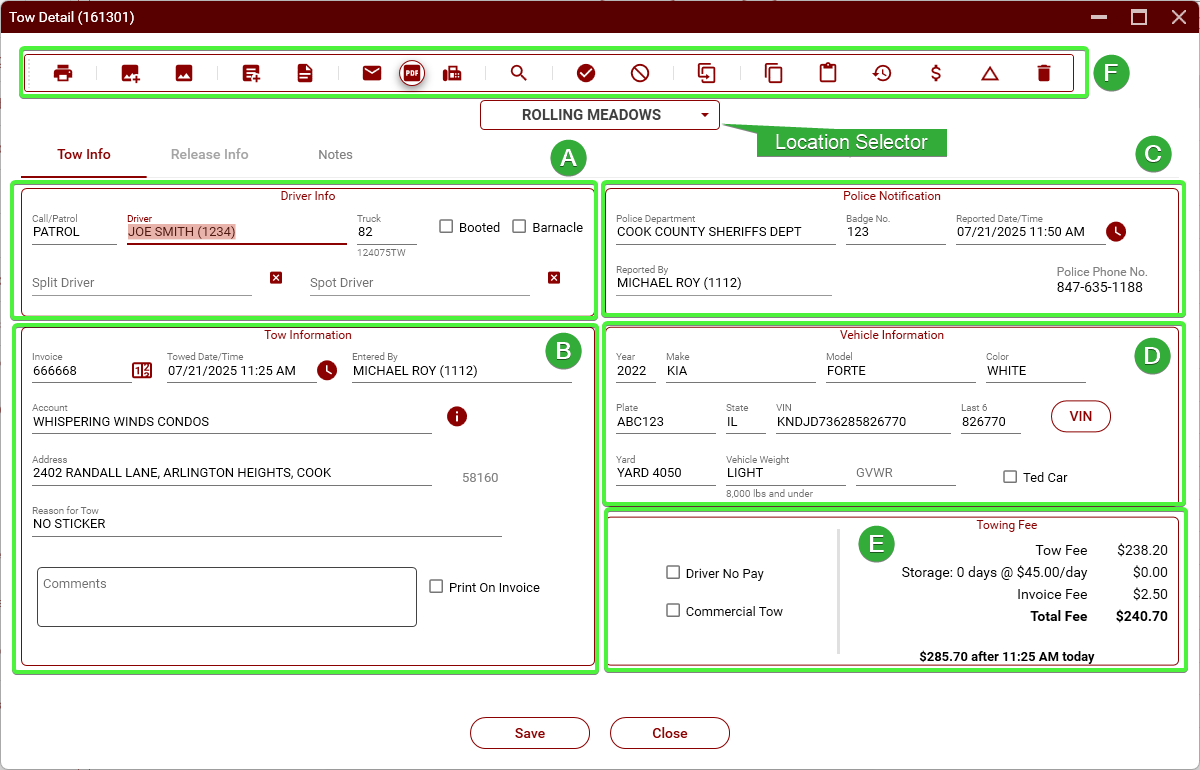
- Section A -
TowDriver Info
- Call/Patrol. Selects the type of tow. When a tow is started by clicking New Tow, this will default to PATROL. When started from a tow request, it will default to CALL. Can be changed as necessary.
- Driver. Select the tow truck driver.
- Truck. Select the tow truck number. If the driver has a tow truck assigned to him, this will automatically be populated when you select the driver. (See Truck
Assign)Assign).
- Split Driver. Select a second driver when a tow is being split between two drivers.
- Spot Driver. This is used when another driver is getting credit for spotting a vehicle to be towed (usually a heavy).
- Booted. Check this box when a vehicle is booted, rather than being towed.
- Section B - Tow Information
- Invoice. This is the ICC Invoice number. This will be automatically generated when you start a tow, but you should always check to make sure the numbers match.
- Towed Date/Time. This is the time that the driver was hooked with the vehicle.
- Entered By. This is the name of the dispatcher that entered the tow. This will be automatically populated but can be changed if needed.
- Account. This is the name of the account where the vehicle was towed from.
- Address. The address the vehicle was towed from. You must use an address that is in TRIP. If the actual address is not in TRIP, use the closest address.