
Main Screen
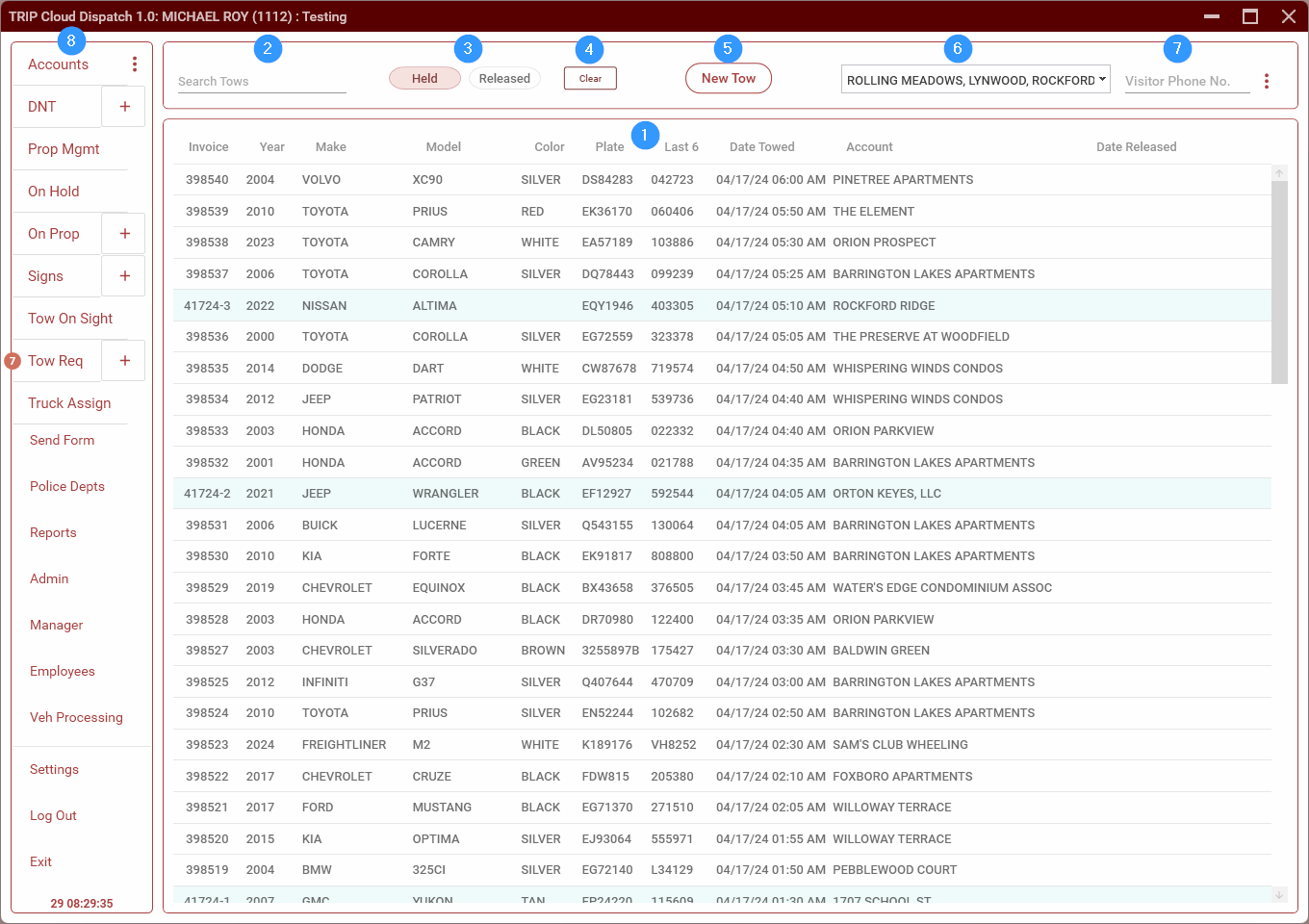
The Main Screen displays towed and released vehicles as well as a menu for navigating through the various sections.
- This section displays towed vehicles that are in our yard as well as vehicles which have been released. Use the Held/Released toggle (3) to switch between the two. See Tows for details.
- Search Bar. Use this to search tows. Enter a search term and press
ENTER. TRIP will display tows that match by make, model, plate or VIN. - Held/Released toggle. This switches between showing held vehicles (those which are still in our lot) and released vehicles.
- This button is used to record when a driver calls an account clear. Enter the account and diver, then click Save.
- New Tow. Clicking this will open an empty tow form where you can enter a new tow.