
Enter Visitor Call-In
When someone calls to register their vehicle for visitor parking, ask them for their phone number and enter it into the text box in the upper-right corner of the Main Screen.
Note that only a few accounts allow visitor call-ins. You can view which accounts allow visitor call-ins from the visitor call-ins from the Visitor Call-In Menu item.
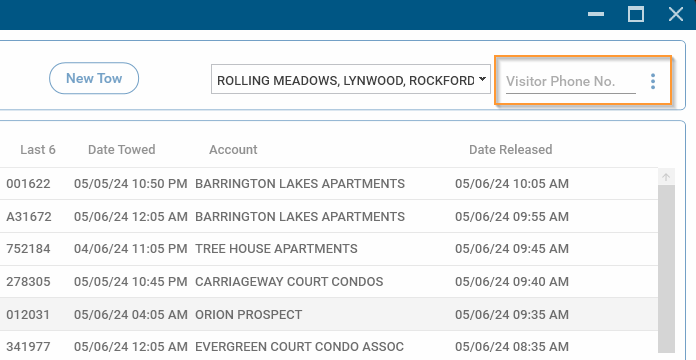
Enter the phone number without any dashes, ex: 8475551234 and press Enter.
If the phone number has not been registered previously, the New Resident Screen will be shown:
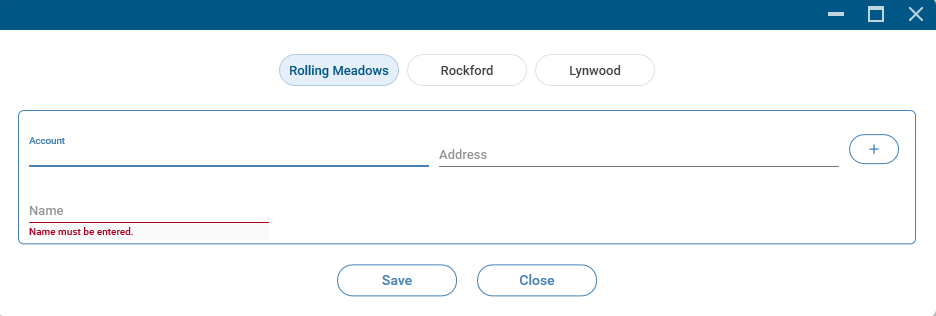
Enter the resident information starting with the Account. For accounts that have unit numbers, such as apartments, the unit number must also be entered.
If the address (and unit number, where applicable) is already registered in the database, you will be asked if you want to add this phone number to the address. Confirm the information with the customer and, if correct, click on 'Yes'. The phone number will be added, and the Visitor Vehicle Screen will be shown for the resident.