
Vehicle Release
To release a vehicle first select it from the main screen, then click on the 'Release Info' tab. This will open the release section of the tow.
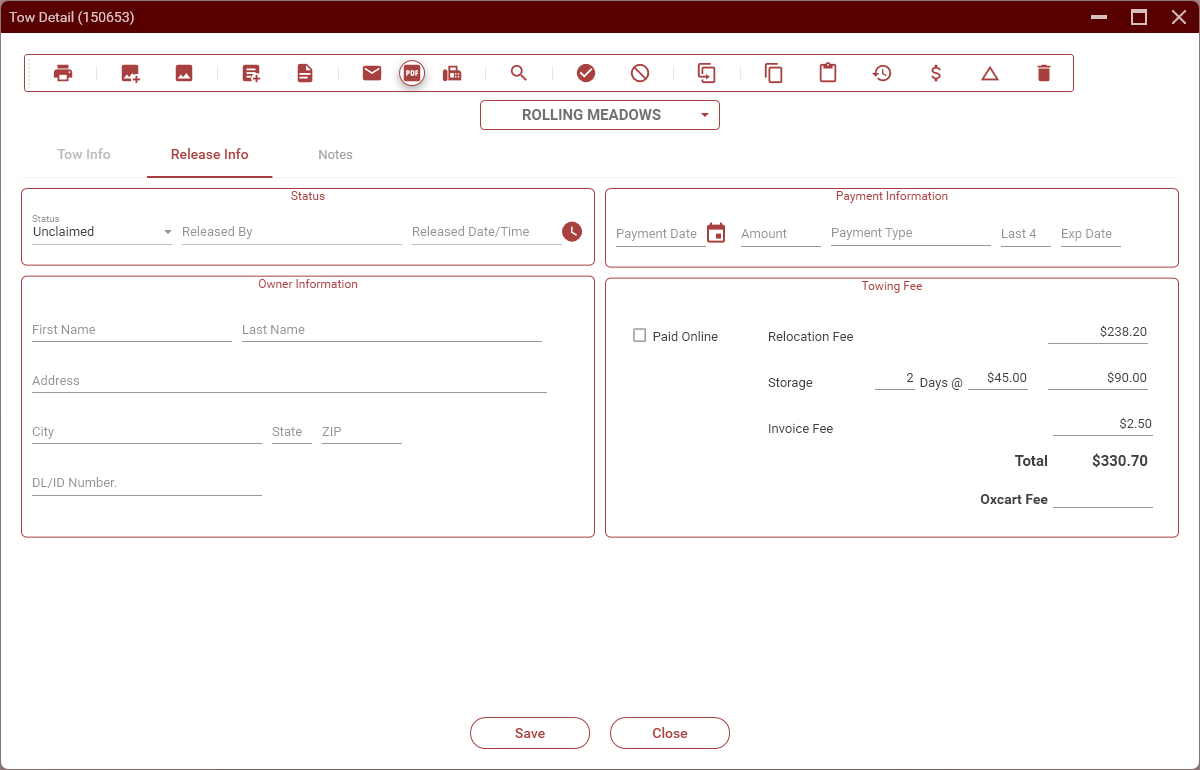
Select the appropriate release status.
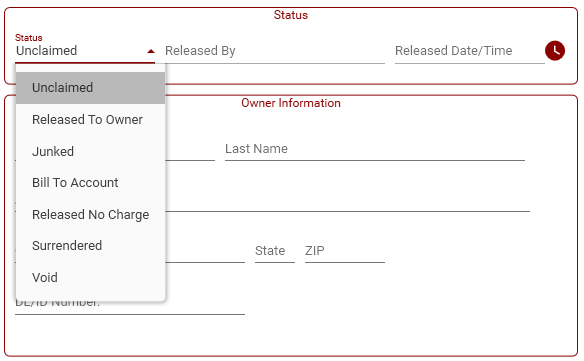
Released To Owner
This is the typical status used when a vehicle is released to a customer. Once this is selected, your name, the date and time, and amount paid will be filled in automatically.
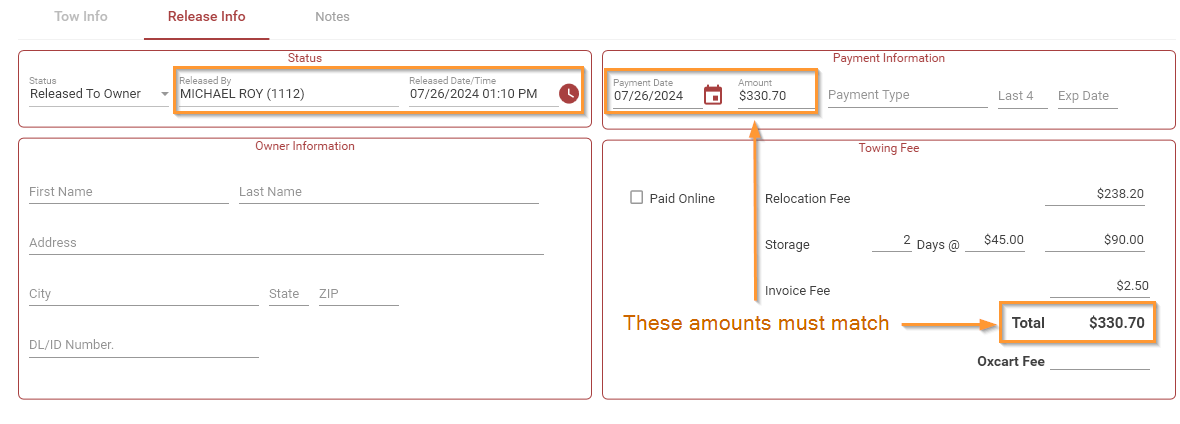
- Fill in the Owner Information section.
- In the Payment Information section, select the
Paymenttype. If a credit card was used, fill in the last 4 digits of the card number and the expiration date. - Make sure that the
amountfield matches the Total. - Click on Save. The vehicle will be released and can be viewed under Released vehicle on the main screen.
Junked
This status should not normally be selected from the tow detail screen. Junking vehicles are usually handled through Vehicle Processing.
Bill To Account
This is used when the property management pays for a tow (usually due to an error on their part). The amount paid should be the amount that we are charging the property management. No other information needs to be entered.
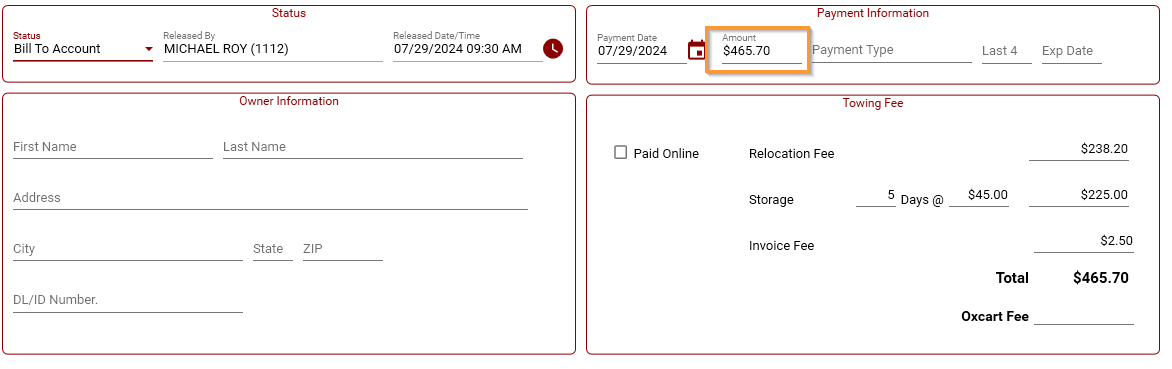
A 'Bill-Back Invoice' should be created and emailed to the person authorizing the payment for the tow. This can be done by clicking on the dollar sign icon on the tow detail screen.