
Enter a New Tow
To enter a new tow, start by clicking on the New Tow button on the Main Screen. This will open the New Tow Screen.
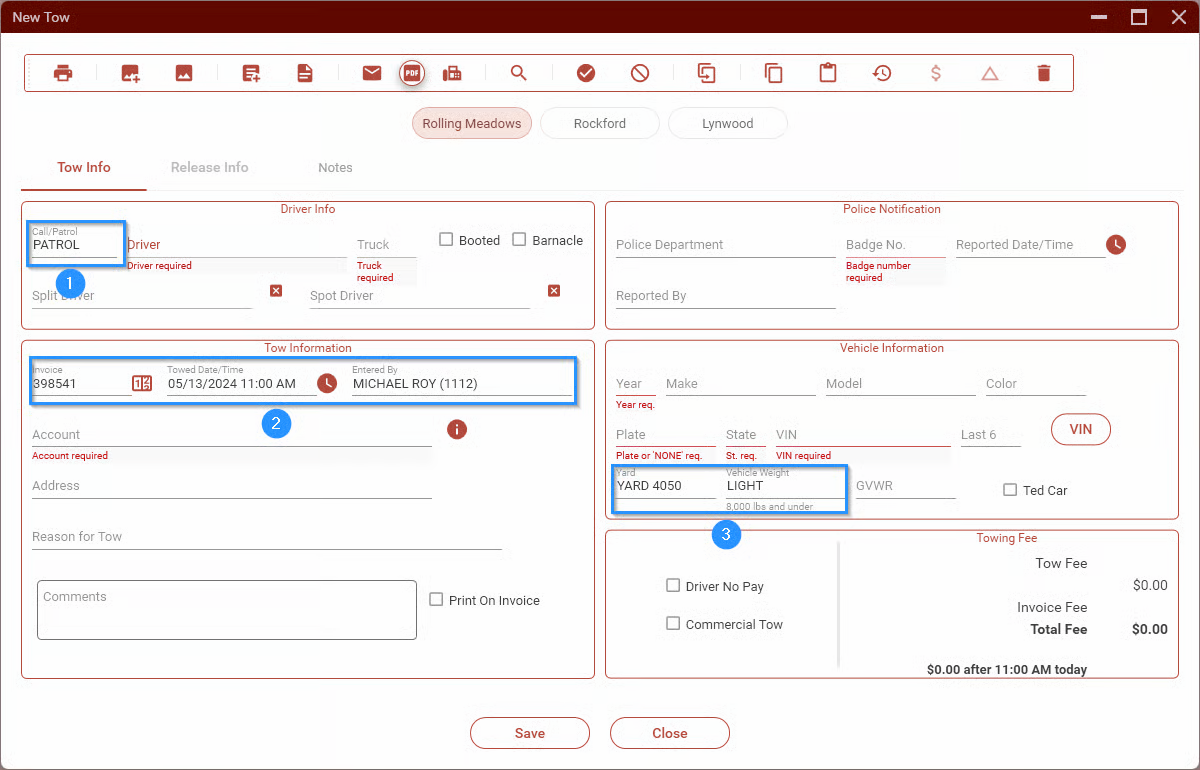
The fields highlighted above will automatically be populated but can be changed, if necessary.
- CALL/PATROL. This will be set to PATROL since most CALL type tows will be created from a Tow Request.
- The invoice number, date and time, along with your name, will be filled in.
- The yard and weight will be set to YARD 4050 and LIGHT respectively. - The yard may be left as is, regardless of the location. - The weight must be set according to the GVWR of the vehicle (the driver will let you know).